WP FollowMe plugin
September 30, 2009 by admin
328 Comments »
WP FollowMe is a wordpress plugin that allows you to add a twitter “Follow me” badge on your wordpress blog.
Get what version you like more :
- v 0.1.3 – No flash, followme message displayed sideways, using images to display the folowme message
- v 0.1.4 – Flash used only for the icon, text displayed vertically
- v 2.0.3 – The badge is completly in flash, text displayed sideways (some users reported problems in chrome browser)
- v2.0.4 – Same as 2.0.3 but with some minor bugs fixed.
Update v2.0.4 :
- 404 not found error for css file fixed
- minor bugs fixed
Update v2.0.3 :
- The badge is completly in flash.
- The text is displayed sideways.
- Added border color option.
- “I love it ” icon and question mark removed
Update v2.0 :
- Choose from 16 twitter icons or use your own.
- Edit the icon background color.
- Edit the “Follow Me” text.
- Change text color.
- Change font size.
- Change font family.
If you found a bug or if you have a twitter icon that you want to share with all other users of this plugin let me know on comments section.
What you need to use this plugin :
- a wordpress powered website (blog)
- a twitter.com account (obviously)
How to use it :
- Download it ( from wordpress plugins directory)
- Extract all files from the zip archive
- Copy the wp-followme folder to wp-content/plugins
- Activate the plugin through the “Plugins” menu in wordpress
- Add your Twitter URL on “Your Twitter URL” text field and configure the other options as desire
- That’s it !
Demo :
This website is a good demo to see how the FollowMe badge will look on your website.
Screenshots :
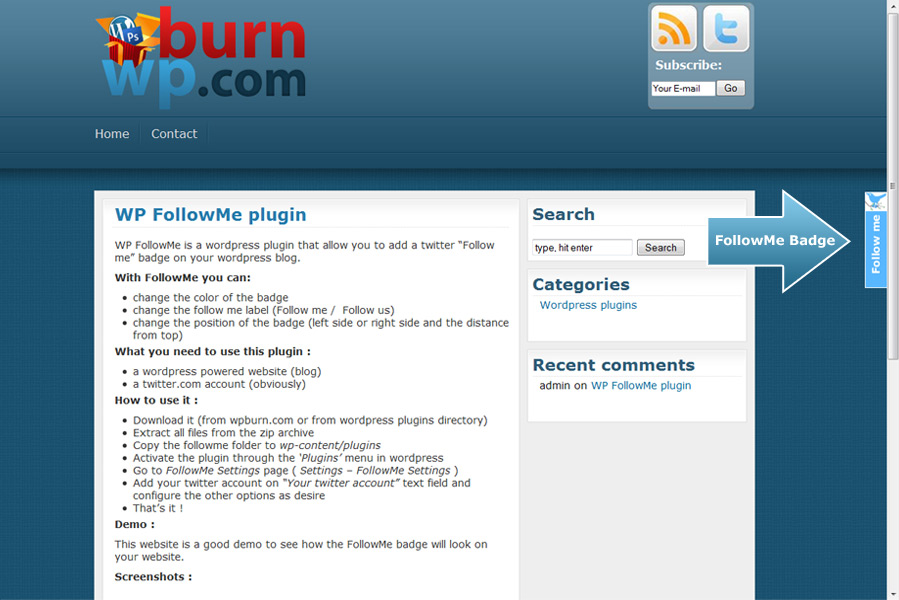
FollowMe badge
Posted in: Wordpress plugins
Noticed the plugin has incompatibility with mobile themes. Would be great if the plugin disabled or forced to the bottom of the page by default when mobile browser is detected/selected. We are using the WP Mobile Pack to control automatic detection/switching of browser.
Corbett
I plan to do this on next version of the plugin.
when do you plan to release the next version?
I was just going to ask the same thing 🙂 Great plugin though!
Cool plugin mate! Works like a charm on all my blogs now 😉 cheers!
HI there,
still got some 404 issues on wp-followme/js/arrow.gif and wp-followme/js/cross.gif – seems to come from jscolor.js.
I am using wp-followme 2.0.4.
Regards,
m.
For a quick fix you can download this file http://jscolor.com/release/jscolor-1.3.1.zip
Unzip it and upload arrow.gif and cross.gif to wp-content/plugins/wp-followme/js
Seems like I forgot to add those files to my plugin.
I’ll fix this on next version.
This plugin seem to not run on IE 6.0. could you tell me how to fix it
You’re right, this plugin doesn’t work on IE6 and will never work, don’t ask for a fix.
IE6 is just an 10 years old browser that doesn’t support web standards, even microsoft dropped the support for this ancient browser.
IE6 just don’t understand all html tags and all css rules.
your plugin in incompatible with the wptouch plugin/theme for blackberry and iphone browsers. i suppose i could try a non flash version, but i am working on a way to fix it while keeping the latest version of your plugin. it just doesn’t look good on my iphone. has anyone seen this before and have suggestions/ fix? thanks. and btw – GREAT PLUGIN!
also, wptouch has exclusive mode that disables all plugins. which is also a fix, but inherently counterproductive. (that is how it’s setup now)
ATM there is no support for iphone or any other cellphone.
I’ll look at wptouch plugin too see how to fix this issue on next version of followme plugin.
fyi, it was fixed in the latest wptouch update. which simply disables flash element for mobile devices (or something). it doesn’t show up anymore and i didn’t have to disable all my plugins for the mobile theme. i guess it was really a wptouch issue all along. thanks again for a great plugin!
I put the wrong twitter URL in my follow me set up – I can’t figure out how to change it. Can someone help?
You can edit your twitter username any time by going to plugin settings page
Hi
This plugin works like a charm on my blog. See here http://url-ok.com/3ec4fd.
Would you please create another plugin like this but for facebook? It would be really nice to have both icones working side by side on the same page.
I have tried Andreas proposal but it seems that it isn’t done for newbies. No supports…
Thanks in advance
All the best
At this moment there is no easy way to put two badges same time.
Maybe I’ll implement this on next version.
Works great on IE but the icon does not show up on Firefox. Any suggestions? Noticed on WP support there is another who is having the same problem.
http://wordpress.org/support/topic/357257?replies=2
Are you sure on Firefox isn’t flash blocked by a plugin ?
I just checked your website and works fine on Firefox 3.6
OK Thanks. i have v3.5 gone to update.
Just one thing, instead of “Follow Me” I want to say “Follow The Road” but when I try it the box containing the text doesn’t expand – how do make this happen?
ATM you can’t do this on the latest version, the badge have a fixed height.
Use the 0.1.4 version instead.
Hi,
I have the plugin working great except for one post, can you give me a hand to troubleshoot it please, I am using FollowMe 2.0.4.
Hugh
Use the contact from http://wpburn.com/contact to send me all details and a link to the post.
Hi, the plugin is great, but it’s incompatible with http://emyl.fr/ongame/poker/plugin-social-buttons/.
Can you help me with this ?
You should give me more details so I can help you.
Is there any error, or why you say that ?
WP FollowMe Turkish Plugin Use bye
ibrahimcakici
turkish seo expert
Thanks this plugin is great
Is there a way for it to be disabled on a moble browser such as safari on the iphone. I have an iphone theme for use on a mobile device and it shows up as a flash error on the side. It also takes up some real estate on the screen when shown on iphone. any help is appreciated.
Read my comments above.
As I said ATM there is no support for mobile phones.
I’ve found out how to expand the height so the phrase can be longer, but the text alignment is off. Where in the php file can I adjust the alignment so that longer text will show? Thanks.
Sorry, you can’t align the text because it is positioned inside the flash file.
Hello,
I have a home.php ( my landing page ) and a page.php ( for all other pages )
Now I want to exclude FollowMe from the landing page and show it only on all other pages.
Is this possible? Yes? How?
Thanks!
ATM there is no easy way to do that.Only if you know php very well and you modify the plugin.
Hi,
Sorry I’m new to wordpress and I can’t figure out where the zip archive is located (is it inside my computer somewhere?)
I downloaded it ( from wordpress plugins directory) and then I want to “Extract all files from the zip archive” and that’s where I’m incompetent…
Thank you very much for your help!
Read this http://codex.wordpress.org/Managing_Plugins or search on google about how to install a wordpress plugin.
You can download the plugin from here.
Thanks for the great plugin!
Looking forward to your facebook one.
Keep up the good work 🙂
Great plug-in- works perfectly! Does anybody know if there’s a plug-in that does exactly the same as this one, but for a facebook page? I can find plenty that add widgets via sidebars by my blog theme doesn’t have sidebars, which is why FollowMe is perfect. Thanks
WP FollowMe plugin é o que eu estava procurando…muito obrigado!
Já usei em 3 projetos. Deu um outro visual.
You’re welcome
I have a Mac and downloaded it and didn’t get a wp-content/plugins folder. Am I missing seeing it somewhere? Any help is greatly appreciated, thanks.
The wp-content/plugins folder is on your web server, where you have wordpress installed, not on my plugin.
I love this plugin! I love it, I love it, I love it.!!!
I wish i could use it on my website, but it seems that, at least using google chrome browser, that it does not work properly, you should test it under all major browsers, Chrome is major one nowadays, i use it for everything.
I use chrome too and works just fine for me.Do you see it on my website in chrome ?
I use Chrome on Linux and on my site as well as yours the background color moves with the page, but not the words (and link) they stay in one spot. I tried with Firefox (still on ubuntu linux) and it displays fine.
(I use chrome too and works just fine for me.) Thank admin good super..
yes yes yes, can we please have this with Face Book?
Nice plugin, gw thanks 🙂
First I’d like to say that I love this plugin. It works like a charm.
Untill today on my ultranex website.
I get an error on top of my website: swfobject.registerObject(“wpFollowmeFlash”, “9.0.0”);
On my other websites this one does not appear. I’ve removed the plugin and installed it again. Nothing changes.
Any ideas.
Thanks.
Hi,
Love the plugin but it causes security warnings for WP based shops in https urls. A secure version for e-commerce use would be great. It has to be deactivated until https compatibility is available.
Maybe the ability to have it displayed in certain pages would be nice or to simply block it in https. That would solve the problem.
Otherwise, this is a great plugin, I really love it. Thanks so much for making it available.
Really cool! I used a simple button so far, but this one is far more sophisticated and probably catches alot more attention. Instantly going to test it, thanks!
Love the plugin!
Thank you so much for the awesome free plugin!
I was wondering if there is a way to make the box smaller – say just the size of the icon. Then, couldnt you stack multiple badges say one for facebook, twitter, rss feeds, email, etc. ?
This is where I got the idea. http://www.lucafiligheddu.com/2009/10/5-amazing-features-i-added-to-my-wordpress-blog.html See the badges for all his social media?
Its really a good plugin and I really like it too…
Thanks dude……it is really good for us and it works me fine for me..
Thanks in Advance
How can i change this plugin position? i want to change this plugin position from left side to the right side. Thank You.
yes , can we have this follow me for my mensajes movistar in a facebook version please.
Great Plugin.
Should entice a few more folks to my twitter page.
Great plugin
This is a great plugin! Thanks!!
I use chrome too and works just fine for me.Do you see it on my website in chrome ? Good Thanks super….
The wp-content/plugins folder is on your web server Thanks Admin.
hello, your internet site is really unquie. I actually appreciate your perform